

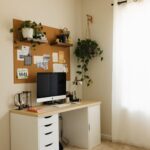






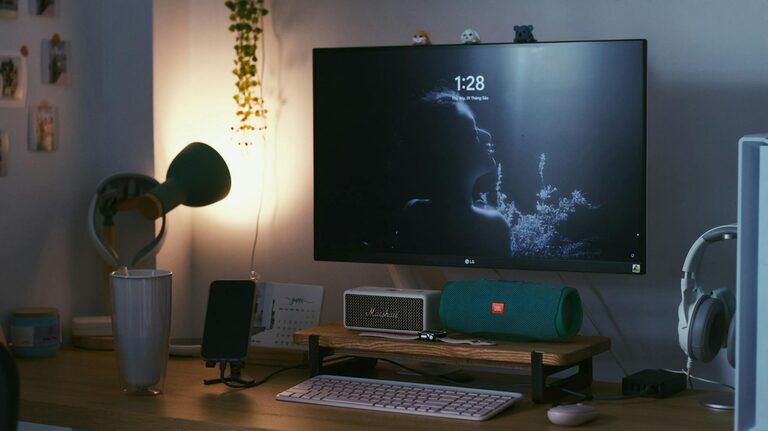
Creating a home office that balances functionality and comfort can significantly improve your productivity and overall well-being. Whether you work from home full-time or just need a quiet corner for occasional tasks, having a dedicated space designed with care makes all the difference. Here are simple tips to help you build a functional and cosy home office that you’ll enjoy using every day.
Choose the Right Location
The first step is selecting an appropriate spot for your home office. Ideally, this should be a quiet area with minimal distractions. Consider these factors when choosing your space:
– Natural light: A room or corner with plenty of natural daylight is beneficial for mood and focus.
– Privacy: Find a space where you won’t be easily disturbed by family or housemates.
– Space: Make sure there is enough room for your desk, chair, and any equipment you need.
If space is limited, even a small nook in the living room or bedroom can be transformed into a productive workspace.
Invest in a Comfortable Chair and Desk
Comfort is key in a home office, especially if you spend long hours working. Here’s what to keep in mind:
– Ergonomic chair: Look for one with adjustable height, lumbar support, and comfortable padding. This helps reduce back strain.
– Appropriate desk height: Your desk should be at elbow height when sitting to maintain good posture.
– Sufficient surface space: Ensure your desk is large enough for your computer, paperwork, and any other tools you regularly use.
If budget allows, consider a sit-stand desk to alternate between sitting and standing throughout the day.
Organise Your Space Efficiently
Clutter can distract and lower productivity. A well-organised workspace promotes clarity and focus. Try these tips:
– Use storage solutions: Think about shelves, filing cabinets, or desk organisers to keep documents and stationery tidy.
– Cable management: Use clips or sleeves to keep cords neatly bundled and out of sight.
– Declutter regularly: Spend a few minutes daily tidying your desk so everything stays under control.
Keeping only essential items on your desk frees up space and creates a clean, inviting environment.
Optimise Lighting for Comfort and Efficiency
Good lighting reduces eye strain and helps maintain alertness. Here’s how to improve the lighting in your home office:
– Maximise daylight: Position your desk near a window if possible, but avoid glare on your screen.
– Use adjustable task lighting: A desk lamp with adjustable brightness allows you to tailor light levels as needed.
– Choose warm light bulbs: For a cosy atmosphere, opt for bulbs with warm white tones (2700K–3000K).
Avoid harsh overhead lights or overly dim spaces to make working more comfortable.
Create a Personal and Inviting Atmosphere
A welcoming workspace can boost your mood and motivation. Here are ways to add personality and cosiness:
– Add plants: Indoor greenery improves air quality and adds a refreshing touch.
– Display inspiring items: Photos, artwork or motivational quotes can personalise your space.
– Incorporate soft textures: Use cushions, rugs or curtains to soften hard surfaces and create warmth.
– Choose calming colours: Soft blues, greens or neutrals can promote relaxation and concentration.
Remember, your home office should reflect your style while remaining practical.
Minimise Distractions
Maintaining focus is crucial when working at home. Keep distractions at bay by:
– Setting boundaries: Let family or housemates know your work hours and when not to disturb you.
– Using noise-cancelling headphones: These can block out background noise when needed.
– Keeping your phone on silent: Or using apps that limit notifications during work periods.
A dedicated workspace makes it easier to mentally switch into work mode.
Use Technology to Your Advantage
Technology can help streamline your work and keep everything organised:
– Set up a reliable internet connection: A fast, stable connection is essential for video calls and online tasks.
– Invest in a quality monitor: A larger screen or dual monitors can improve workflow.
– Use productivity apps: Tools to manage tasks, calendars, or time tracking can increase efficiency.
Keep cables tidy and make sure all your equipment is easily accessible.
Take Regular Breaks and Move Around
Finally, don’t forget to take care of your physical and mental health:
– Schedule short breaks: Step away from your desk every hour to stretch and rest your eyes.
– Create a break area: If space allows, have a comfortable spot nearby to relax and recharge.
– Stay hydrated and nourished: Keep water and healthy snacks within reach.
A cosy workspace means little without care for your well-being throughout the day.
—
By following these simple tips, you can create a home office that works for you – combining functionality with comfort. This will help you stay productive while enjoying your time spent working at home. Remember, a thoughtful setup is an investment in both your work output and your happiness.